Why AI answers sound generic, and how to fix them
By vedonaiPublished
An AI tool can write a tidy answer to a vague request. The problem is that it has to guess the parts you left out. If the reply could fit anyone, add one or two facts that could only fit your situation.
A goodbye message, twice
Say a coworker is leaving and you want to write in her card. Here is what changed when I added facts.
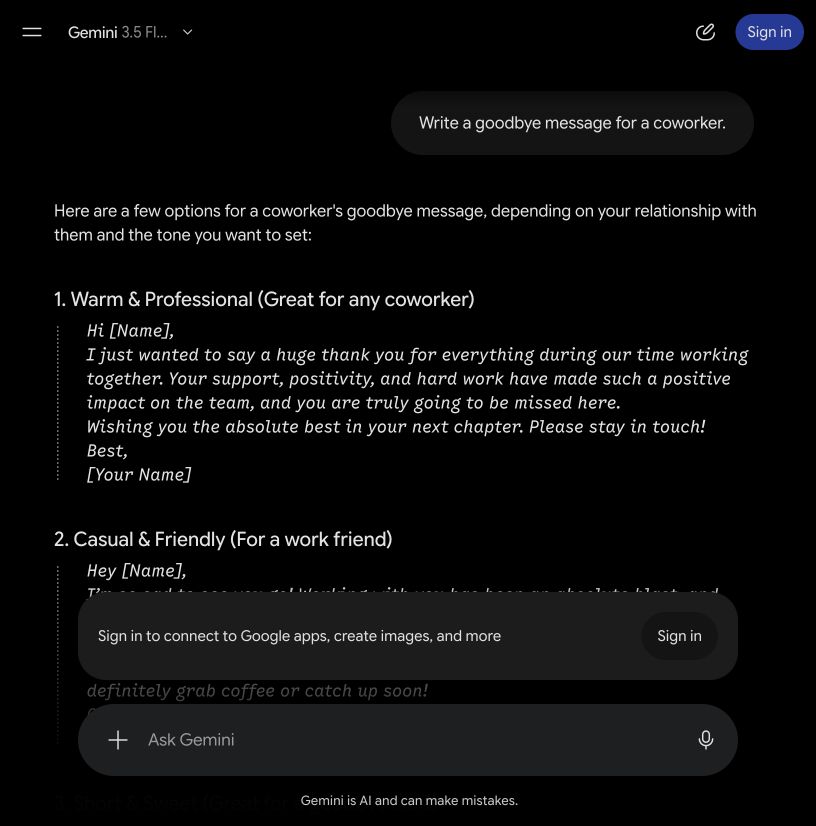
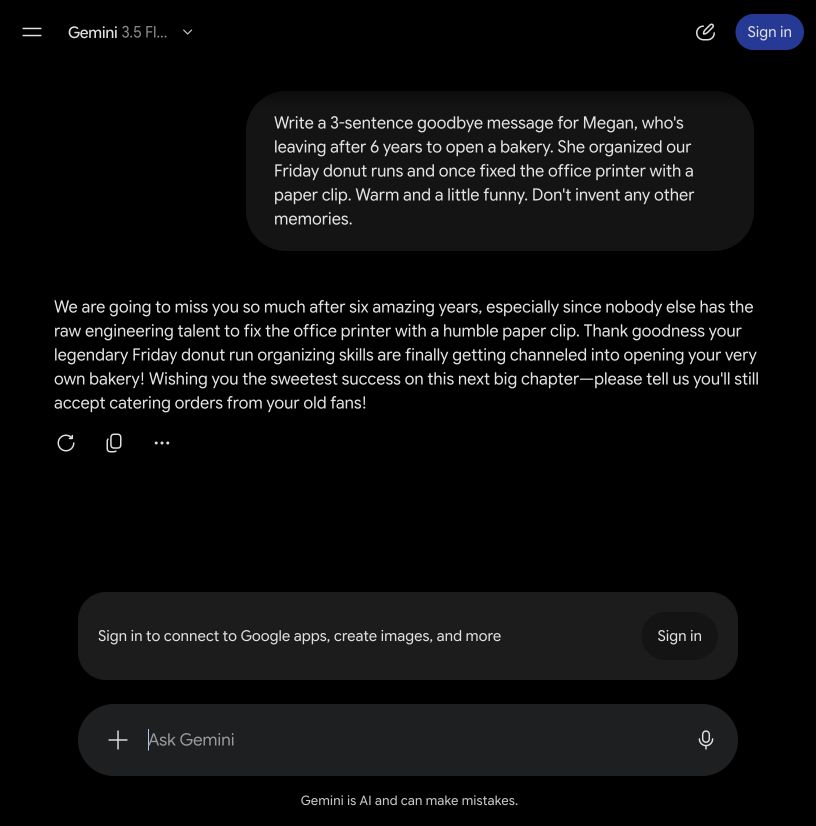
Write a goodbye message for a coworker.Gemini gave three ready-made options. The first began “Hi [Name]” and thanked the coworker for their “support, positivity, and hard work.” Another left a space for me to “mention a quick positive memory.” It could not fill that gap for me.Write a 3-sentence goodbye message for Megan, who's leaving after 6 years to open a bakery. She organized our Friday donut runs and once fixed the office printer with a paper clip. Warm and a little funny. Don't invent any other memories.“We are going to miss you so much after six amazing years, especially since nobody else has the raw engineering talent to fix the office printer with a humble paper clip. Thank goodness your legendary Friday donut run organizing skills are finally getting channeled into opening your very own bakery! Wishing you the sweetest success on this next big chapter—please tell us you'll still accept catering orders from your old fans!”What improved: The second reply used the bakery, donut runs and printer story instead of blanks. I still would not send it as written: “six amazing years” and “sweetest success” sound overdone, and I never said Megan takes catering orders. A better prompt gets you closer; it does not remove the need to read the result.
The missing facts become guesses
“Coworker” gives the tool almost nothing to work with. It does not know who is leaving, why they are leaving, or what you remember about them. So it reaches for phrases that suit most farewell cards. The first reply was polite, but I could have handed it to anyone in the office.
More words alone are not the fix. “Make it heartfelt and amazing” is longer, but it still hides the important details. The printer story did more work than those adjectives would.
Ask yourself three things
- Who is this for?A colleague, a customer, your manager, or someone else?
- What happened?Add the dates, decisions, shared moments, or other facts that change the answer.
- What should the reply do?Thank someone, explain a delay, ask for a decision, or simply make them smile?
Then read the draft before using it. A specific prompt can still produce a made-up detail or a line you would never say.
Try this on your own task
Write [what you need] for [who will read it].
Here are the facts: [two or three details you know].
I want the reader to [what should happen next].
Keep it to [length, if that matters].
Don't invent facts I haven't given you.
Fill in the brackets before sending. If you do not know the facts yet, ask the person who does. A longer prompt full of guesses will not help.
Two easy traps
- Adding adjectives instead of facts.“Professional,” “engaging,” and “great” tell the tool how to sound. They do not tell it what happened.
- Trusting every detail in the result.The bakery reply suggested asking for catering orders. Small inventions like that are easy to miss because the rest sounds right.
You ask: “Write a reply to a customer asking where their order is.” Which added detail helps most?
Right. The shipping facts give the reply something useful to say. Without them, it may guess a date or just say the order is on its way.
Questions
Would a paid AI plan fix generic answers?
A paid plan may handle some tasks better, but it still cannot know the details you leave out. Try adding those details before paying to solve this problem.
Should I use custom instructions?
Use them for things that rarely change, such as your usual writing style. Put the facts for this particular task in the prompt itself.
Does this happen in ChatGPT too?
Yes. Every chat tool fills missing facts with guesses. Add the facts only you know, whichever tool you use.