ChatGPT vs Claude vs Gemini: which to use for each task
By vedonaiPublished


For most everyday tasks, all three do a good job, and your prompt matters more than the tool. Where they differ: ChatGPT is the all-rounder (writing, photos, files, images, voice). Claude is a careful reader and writer, good with long documents. Gemini makes the most sense if you already live in Gmail and Google Docs.
Which one for which job
For everyday writing and quick questions, any of the three is fine. Use the one you already have open. Where they pull apart:
ChatGPT
The all-rounder.
- Photos, screenshots and files
- Creating images
- Voice chats
Claude
The careful reader and writer.
- Long reports, contracts, handbooks
- Drafts that sound like you
- Outlook and Microsoft 365 (paid Pro plan)
Gemini
The one inside Google's apps.
- Gmail and Google Docs (paid Google AI plans)
- Creating and editing images
- Deep Research reports

Work in Outlook, Word and Teams? Microsoft Copilot is the AI built into those apps. It plays the same role for Microsoft that Gemini plays for Google.
Need current facts? Use any of them with web search, ask for links, then open one and check the date.
23AI for Everyday Work · Level 23Pick the right AI tool for each jobPractice →The same task in all three
Say the kitchen faucet in your apartment has dripped for two weeks and your landlord hasn't answered your text. We gave all three the same prompt.
Write an email to my landlord, Mr. Ortiz. The kitchen faucet in apartment 4B has dripped for two weeks. I reported it by text on March 3 and haven't heard back.
Ask for a repair date this week.
Under 120 words. Polite but firm. Don't threaten anything.
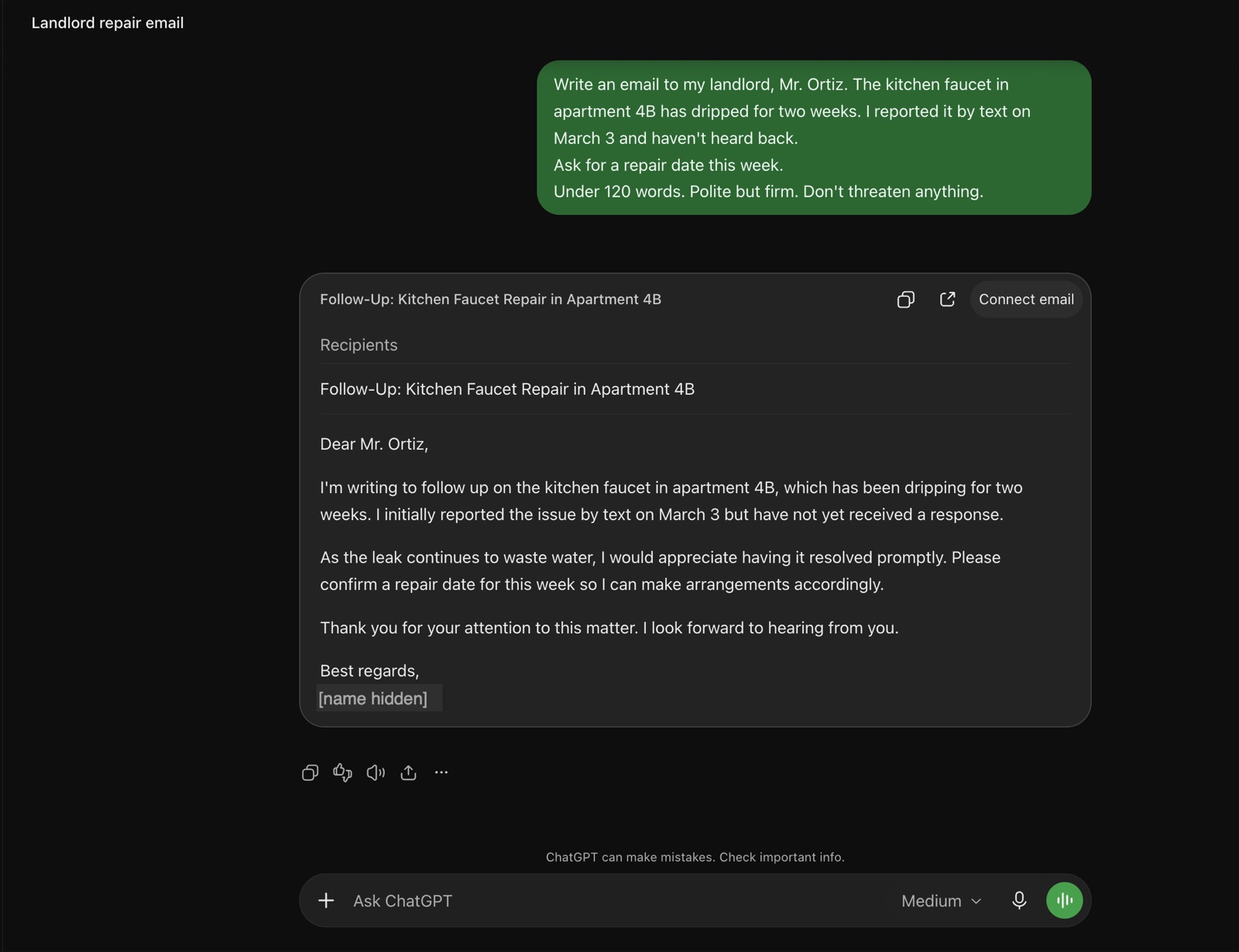
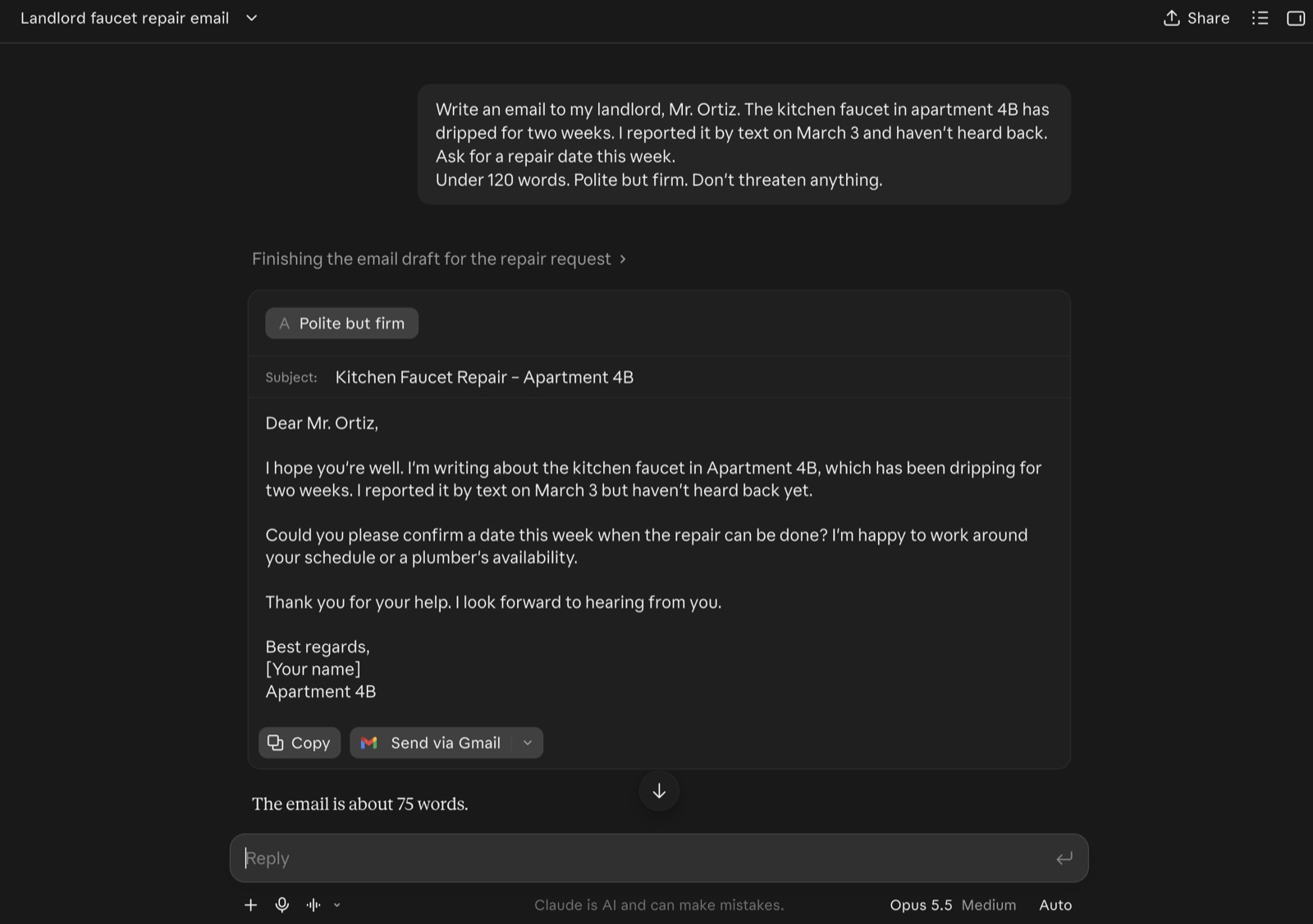
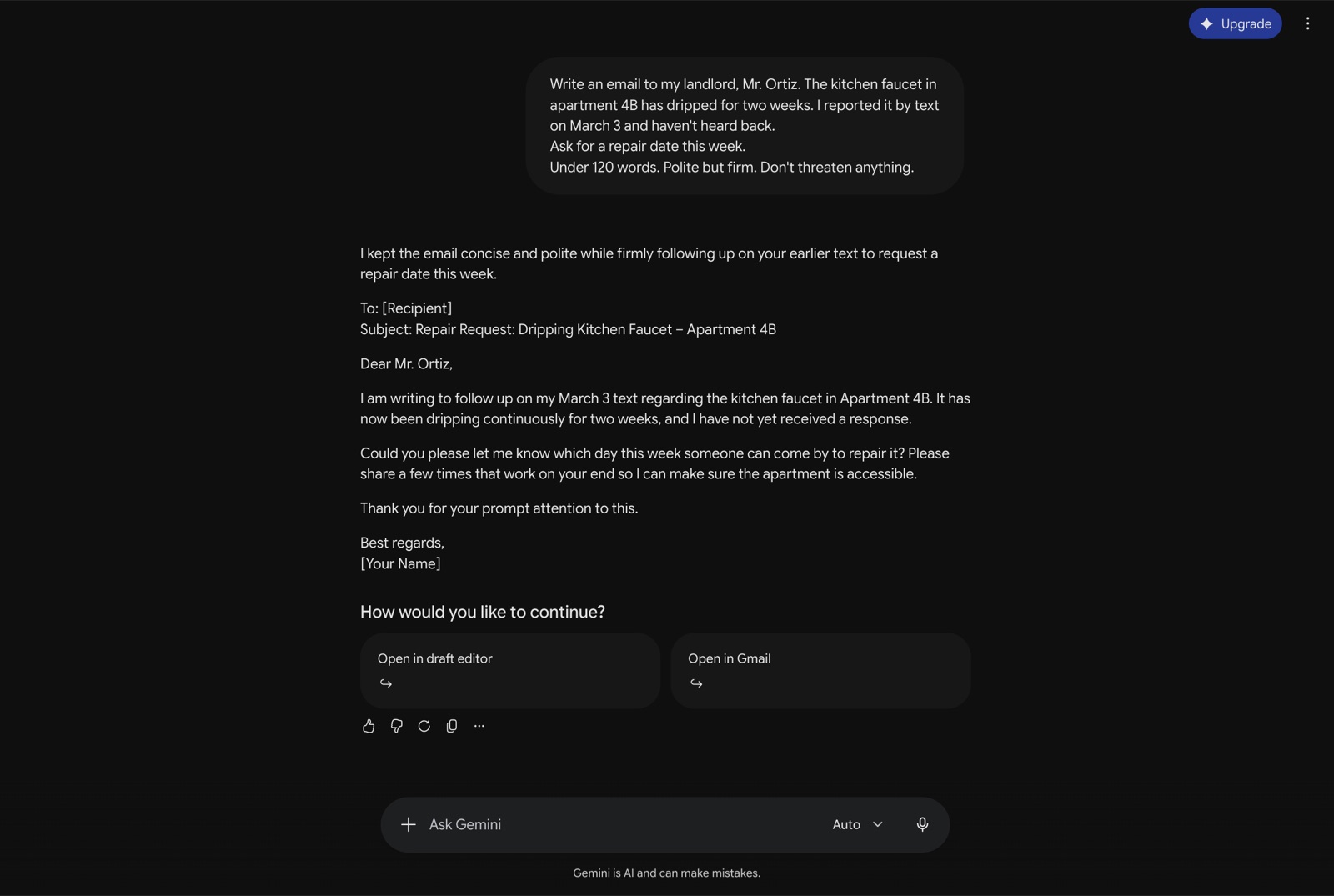
What we found: All three kept every fact (Mr. Ortiz, apartment 4B, two weeks, the March 3 text, a repair this week), stayed under 120 words and made no threats. The differences were small. ChatGPT made the firmest ask ("Please confirm a repair date for this week") but added a reason we never gave: "the leak continues to waste water." Claude was the friendliest and offered to "work around your schedule," which is softer than "firm." Gemini left blanks for the recipient and the name. Each one needed one quick edit before sending.
Notice the prompt does most of the work. The name, the date and "under 120 words" make all three emails usable. Leave them out and every tool has to guess.
The free plans, side by side
Plans change often, so check the official page before you pay.
ChatGPT Free
- Unlimited everyday text chats
- Web search and projects
- Uploads, images, voice and memory are limited
- The low-cost Go plan "may include ads"
Claude Free
- Web search and memory across chats
- Voice mode
- Up to 5 projects
- Limited use every 5 hours and every week
Gemini Free
- Image creation and editing
- Deep Research
- Gemini Live (voice)
- Gmail and Docs need a paid plan
The main paid plans are each about $20 a month in the US: ChatGPT Plus, Claude Pro ($20 billed monthly, $17 a month billed yearly) and Google AI Pro. Prices vary by country.
Common mistakes when picking
- Switching tools instead of fixing the prompt. If all three give you a generic answer, the prompt is missing facts. A new tool won't guess them better.
- Paying before you hit a limit. Use the free plan for a week first. Upgrade when you keep running into limits, not before.
- Trusting one answer on something that matters. For money, health, legal or work decisions, ask two tools and check where they disagree.
- Pasting private work details. Check your company's rules before you paste customer or company information into any of them.
You ask ChatGPT, Claude and Gemini the same question and all three give you a bland, generic answer. What's the best next step?
Right. When every tool gives a generic answer, the prompt is the problem. Add the facts only you know and say how long or what layout you want, then try again in the tool you like best.
Questions
Which one is best if I only want a free plan?
Start with whichever you already have an account for. All three have a free plan that handles everyday writing and questions. Free plans limit how much you can use them, so a second free tool is a handy backup when you hit a limit.
Is the paid plan worth it?
Only once you hit the free limits often, or need a paid feature such as Gemini inside Gmail and Docs, or Claude inside Microsoft 365. A paid plan doesn't fix a vague prompt.
Can I use more than one?
Yes, and for big decisions it helps. Ask two tools the same question. Where their answers differ is exactly what you should check yourself.
What about Microsoft Copilot?
If your work runs on Outlook, Word and Teams, Copilot is the one built into those apps. It plays the same role for Microsoft that Gemini plays for Google.